


Fill out my online form.
Magicard 600 Duo Dual-Sided ID Card Printer with Wi-Fi
Magicard 600 Duo Dual-Sided ID Card Printer with Wi-Fi
IN STOCK
$0.00 each
Volume Pricing Availale
Save up to 0%
Current Discount: 0%
Next: -
| Quantity | Discount |
|---|
Product Specifications
Product Specifications
-
Part number: 3652-5021
- Keep up with onboarding rushes — Fast color printing handles peak enrollment without bottlenecks
- Free up staff time — Automatic dual-sided printing means load the hopper and walk away
- Place it anywhere — WiFi connectivity via included dongle; no network drops or IT tickets needed
- Get barcodes that actually scan — Enhanced resin printing renders crisp micro-text and detailed photos
- Support multiple departments — Store custom HoloKote® watermarks and switch security patterns without swapping ribbons
Total Price:
$0.00


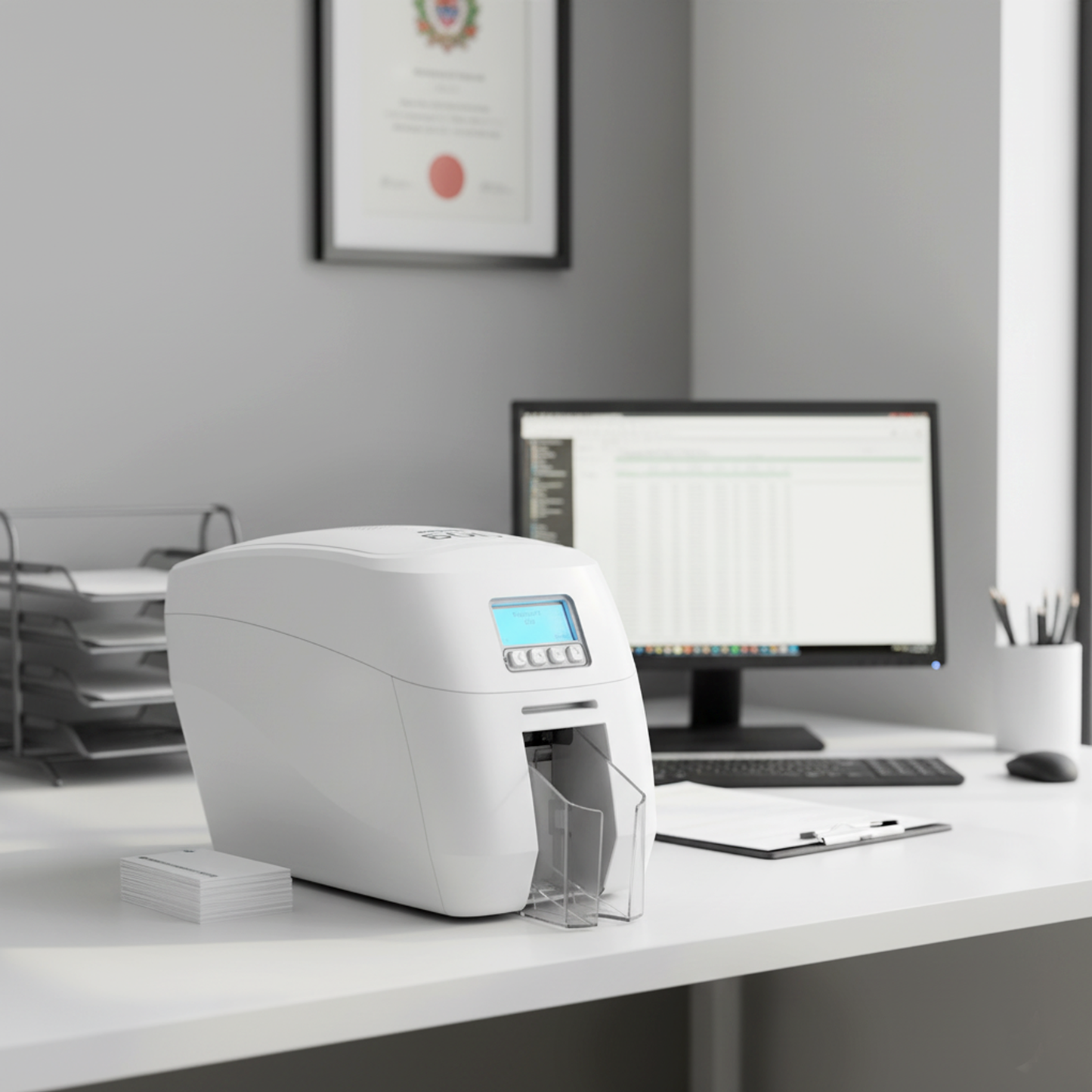
Description
⚠️ Printer Only — Ribbons & Cards Sold Separately
This printer ships without ribbons, cards, or cleaning supplies. You'll need to purchase initial consumables separately to begin printing. See the "Supplies" tab for complete requirements.
Professional Dual-Sided Printing
- Up to 190 full-color cards per hour — Each card prints in approximately 19 seconds with HoloKote security watermark
- Eliminate manual card handling — Automatic dual-sided printing means load cards and walk away
- 600 x 300 dpi resolution (resin) — Enables readable 5-point micro-text for barcodes and fine details
- WiFi via supplied dongle — IEEE 802.11a/b/g/n/ac compliant, deploy anywhere without ethernet infrastructure
- Built-in security and compliance — Digital Shredding fragments cardholder data after printing, up to 10 custom HoloKote watermarks
What's Included
- Complete dual-sided printer — Print both sides automatically, no manual card flipping required
- WiFi dongle included — IEEE 802.11a/b/g/n/ac, speeds up to 300Mbps, WPA/WPA2 encryption
- USB and power cables — High Speed USB 2.0 (USB 3.0 compatible), external 100-240V power supply
- 100-card input hopper, 70-card output stacker — Minimize reloading during batch printing
- 3 year MagiCover Plus warranty — Full printhead coverage with free loaner printer during repairs
Built for organizations that can't afford downtime or poor quality. Here's what this printer actually does for your operation:
Professional Applications
Government & Security: Meet compliance requirements without slowing down operations. Digital Shredding automatically fragments sensitive data after printing—no manual data cleanup, no compliance violations.
Healthcare Facilities: Print different security watermarks for different departments without changing ribbons. ER staff gets one pattern, surgical team gets another—all from the same printer.
Education Institutions: Process large volumes of student IDs during enrollment week without bottlenecks. When the registrar's office is slammed, this printer keeps pace.
Corporate & Enterprise: Professional photo quality that makes your badges look like your brand standards demand. Sharp logos, readable micro-text, photos that don't pixelate.
Performance Specifications
- 🎨 Color printing: 190 cards/hour (19 seconds per card with HoloKote)
- ⚫ Monochrome printing: 750 cards/hour (4.8 seconds per card)
- 📦 Card capacity: 100-card feeder, 70-card stacker, plus hand-feed option
- 🔒 Warranty protection: 3 years MagiCover Plus with full printhead coverage
Technical Specifications
| Component | Specification | What It Means |
|---|---|---|
| Print Technology | Direct-to-card (DTC) dye sublimation with dual-sided capability | Transfers images directly onto card surface, both sides automatically |
| Print Speed |
Single-sided color: Up to 190 cards/hour (19 seconds/card) Monochrome: Up to 750 cards/hour (4.8 seconds/card) |
Fast enough for batch jobs while maintaining photo-quality output |
| Print Resolution | 600 x 300 dpi (resin only) | Enables readable 5-point micro-text for barcodes and fine details |
| Card Capacity |
Input hopper: 100 cards Output stacker: 70 cards Hand-feed: Capable |
Minimize reloading during batch printing, handle specialty cards manually |
| Physical Dimensions | Height: 248mm (9.8") Width: 211.5mm (8.3") Depth: 475.5mm (18.9") Weight: 4.7kg (10.4lb) |
Professional desktop footprint, fits standard office workspace |
| Connectivity |
USB: High Speed USB 2.0, USB 3.0 compatible - Type B Ethernet: 10/100 (100-Base TX/10-Base-Tc) WiFi: IEEE 802.11a/b/g/n/ac via supplied dongle |
Flexible deployment — Direct connection, wired network, or wireless with WPA/WPA2 encryption |
| Operating System Support |
Windows: 7, 8, 10, 11 (32/64-bit) Windows Server: 2008, 2012, 2016 Mac OS X: 10.9.0+ Linux: CUPS support |
Compatible with current enterprise operating systems and networks |
| Card Types |
Sizes: CR80 and CR79 Thickness: 20-40 mil (0.51-1.02mm) Materials: PVC, Composite PVC |
Handles standard cards plus specialty security options (magnetic stripe, smart cards) |
| Security Features |
Digital Shredding: GDPR-compliant HoloKote: Up to 10 custom design slots Threat Benchmarking: Nessus Pro |
Data fragments after printing, visual anti-counterfeiting, enterprise vulnerability scanning |
| Warranty Coverage |
3 year MagiCover Plus No-quibble printhead replacement Loan printer/hot-swap service included Optional 1-year extension available |
Business continuity protection — Free loaner printer during repairs prevents downtime |
| Maintenance |
Clean regularly: Per manufacturer schedule or with each ribbon change Required: 3633-0053 cleaning kit |
Simple maintenance preserves quality and ensures warranty compliance |
| Firmware & Drivers | Regular updates available | Latest drivers and firmware available at support.magicard.com |
| Remote Management | CLIX compatible — Remote monitoring from any device on the same network | Remote status monitoring and automatic supply reordering for multi-printer deployments |
Choose Your Encoding Configuration
Four printer configurations. One important decision. Magnetic encoding cannot be added after manufacture—it must be factory-installed. Smart card encoding may have limited upgrade options, but encoding is most reliable and cost-effective when selected at purchase. Choose based on what your access control system actually requires:
Four Configuration Options
Most Popular
Base Model — No Encoding
Visual IDs only — Print photos and text on cards. No data writing, no access control capability. Perfect when you just need a photo badge.
📸 Perfect for: Visitor badges, membership cards, photo IDs that don't unlock doors
Magnetic Stripe Encoder
Basic access control — Write data to magnetic stripes for door access, time clocks, or payment systems. Works with most existing card readers.
🔐 Perfect for: Employee building access, time tracking systems, older door hardware
Smart Card Encoder
Contactless technology — Encode proximity cards for tap-and-go access. Higher security than magnetic stripe, harder to clone or copy.
🔒 Perfect for: Modern access control, high-security facilities, contactless entry systems
Magnetic Stripe & Smart Card
Maximum flexibility — Support both magnetic and contactless in one printer. Use when you're upgrading access control but need backward compatibility.
🏢 Perfect for: Multi-building campuses, phased security upgrades, mixed door hardware
Which Encoding Do I Need?
Choose Base Model if:
- You only need visual photo IDs
- Cards don't unlock doors or track time
- No electronic data storage needed
Choose Magnetic Stripe if:
- Your doors use swipe card readers
- You need time clock functionality
- Existing hardware reads magnetic stripes
Choose Smart Card if:
- You have contactless door readers
- Security is critical (harder to clone)
- Modern tap-and-go access control
Choose Combined if:
- Some doors use swipe, others use tap
- You're upgrading security incrementally
- Multiple buildings with different hardware
Magicard 300 vs 600: Which Professional Printer?
Both are reliable dual-sided printers. The 600 costs more but prints faster and handles finer detail. Here's how to decide which one matches your volume:
Performance & Feature Comparison
| Feature | Magicard 300 | Magicard 600 Duo |
|---|---|---|
| Print Speed (Color) | 160 cards/hour | 190 cards/hour 19 seconds per card with HoloKote |
| Print Resolution | 300x300 dpi | 600x300 dpi (resin) Readable text at ≥5 point size per manufacturer |
| WiFi Connectivity | Ethernet/USB only | Via supplied dongle (802.11a/b/g/n/ac) Up to 300Mbps, WPA/WPA2 encryption |
| Custom HoloKote Slots | 4 standard + 4 custom designs (8 total) | Up to 10 custom HoloKotes Delivered via Magicard Support Account |
| Physical Size | 408mm depth 4.98kg weight |
475.5mm depth 4.7kg weight |
Which Printer Fits Your Volume?
Choose Magicard 300 if:
- 📉 Lower volume printing needs
- 💰 Tighter budget — Need professional quality at lower entry point
- 📍 Wired network available — Ethernet connection at printer location
- 🎨 Standard badge designs — No tiny barcodes or ultra-fine text
- 🔒 Single security watermark — Same HoloKote pattern across all cards
💼 Best for: Small businesses, single-location schools, offices under 100 employees
Higher Volume
Choose Magicard 600 Duo if:
- 📈 Higher volume printing needs — Speed advantage important for operations
- ⚡ Peak period printing — Enrollment, onboarding, events create backlogs
- 📶 Flexible placement needed — WiFi lets you put it where it's convenient
- 🔍 Detailed badge requirements — Small barcodes, fine logos, readable micro-text
- 🏢 Multiple departments — Different security watermarks without ribbon swaps
- 📸 Professional photo quality matters — Vibrant colors, sharp details
🏛️ Best for: Government, hospitals, universities, multi-department corporations
Printer Supplies & Consumables
The 600 Duo uses MB-series ribbons. Here's what you need to keep it running and how to avoid running out mid-batch:
MB-Series Ribbons for Magicard 600
MB300YMCKO — Single-Sided Color
- Yield: 300 prints
- Panels: 5 (Yellow, Magenta, Cyan, Black, Overlay)
- Best for: Single-sided full-color cards
MB250YMCKOK — Dual-Sided
- Yield: 250 prints
- Panels: 6 (YMCKO front, K back)
- Best for: Color front, black text back
MB600KO — Monochrome
- Yield: 600 prints
- Panels: 2 (Black + Overlay)
- Best for: Text-only cards with protective overlay
What You Must Purchase to Begin Printing
| Item | What to Buy | Details |
|---|---|---|
| Printer Ribbons | NOT INCLUDED. Start with MB300YMCKO (single-sided) or MB250YMCKOK (dual-sided) for full-color printing. | Essential consumable for printing operations |
| Blank Cards | NOT INCLUDED. Standard 30 mil CR80 PVC cards. 500-pack recommended for volume operations. | Card stock required for all printing |
| Cleaning Kit | REQUIRED for warranty compliance. Part 3633-0053: 10 alcohol cleaning cards + 1 printhead cleaning pen. | Maintains print quality and warranty coverage |
Common Questions About the Magicard 600 Duo
Downloads & Resources
Official Magicard documentation, latest drivers, firmware, and support resources for the 600 Duo:
Are these official Magicard parts and components?
Yes. All Magicard 600 Duo printers, ribbons, and supplies sold by Specialist ID are genuine Magicard products. Using genuine Magicard consumables is required to maintain warranty coverage.
Do I need encoding capabilities or just printing?
If you only need to print images and text on cards, the base Duo model works perfectly. Add encoding if you need: Magnetic stripe for access control and time tracking, smart cards for contactless entry systems, or both for maximum flexibility. Important: Magnetic encoding cannot be retrofitted after manufacture—it must be factory-installed. Choose encoding at purchase if you anticipate any future needs.
What comes included with the Magicard 600 Duo?
The 600 Duo includes the printer unit, power cord, USB cable, WiFi dongle (802.11a/b/g/n/ac), input/output hoppers, and driver software. Ribbons, blank cards, and cleaning supplies are NOT included and must be purchased separately to begin printing.
What are the official print speeds for the Magicard 600 Duo?
Single-sided color: Up to 190 cards per hour (19 seconds per card). Monochrome: Up to 750 cards per hour (4.8 seconds per card) using MB600KO black ribbon. Speeds per official Magicard specifications with genuine ribbons and CR80 cards.
Can I add encoding capabilities later to the base model?
Magnetic encoding: No. Per official Magicard support, magnetic encoding capability cannot be retrofitted after a printer has been manufactured—it can only be included at time of manufacture. Smart card encoding: May have limited upgrade options through separate kits, but these are significantly more expensive and complex than ordering with encoding initially. If you anticipate any future encoding needs, choose a model with encoding capabilities now.
How often should I clean my 600 Duo and what's required?
Regular cleaning using the 3633-0053 cleaning kit (10 alcohol cleaning cards + 1 printhead cleaning pen) maintains print quality. Run a cleaning card through the printer like a normal card, then gently clean the printhead with the alcohol pen. Use of genuine Magicard consumables and correct routine maintenance is required for warranty coverage.
What's the difference between the Magicard 300 and 600?
The 600 prints up to 190 cards/hour (vs 160 on the 300), offers higher resolution (600x300 vs 300x300 dpi) for readable 5-point micro-text, includes WiFi standard via supplied dongle (802.11a/b/g/n/ac—300 is Ethernet/USB only), and stores 10 custom HoloKote designs vs 8 on the 300 (4 standard + 4 custom).
Is the 600 Duo single-sided or dual-sided?
The 600 Duo is dual-sided standard with an automatic flipper mechanism that prints both sides without manual intervention. The 600 Uno is the single-sided version of this printer. Both use the same print engine and quality standards.
Does Specialist ID sell genuine Magicard supplies?
Yes. All ribbons, cards, and supplies sold by Specialist ID are genuine Magicard products.
We provide direct technical support for all Magicard printers including ribbon selection and compatibility verification.
We provide direct technical support for all Magicard printers including ribbon selection and compatibility verification.
Talk to Our Magicard Specialists
Questions about encoding options, ribbon selection, regional codes, or deployment planning? Our team has extensive 600 Duo experience across government, healthcare, education, and corporate installations.
Call our experts at 1-800-380-6726 or schedule a consultation