


Fill out my online form.
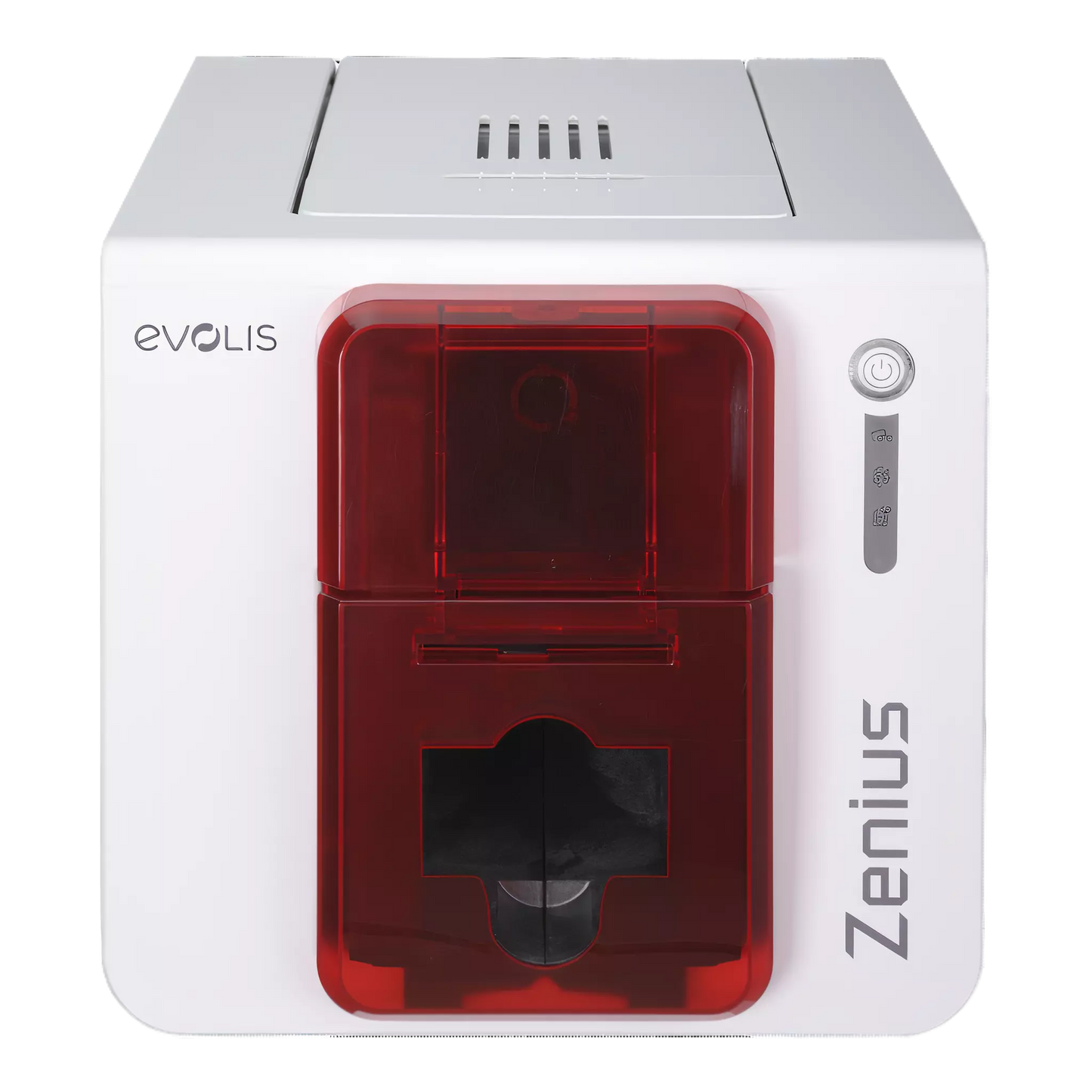
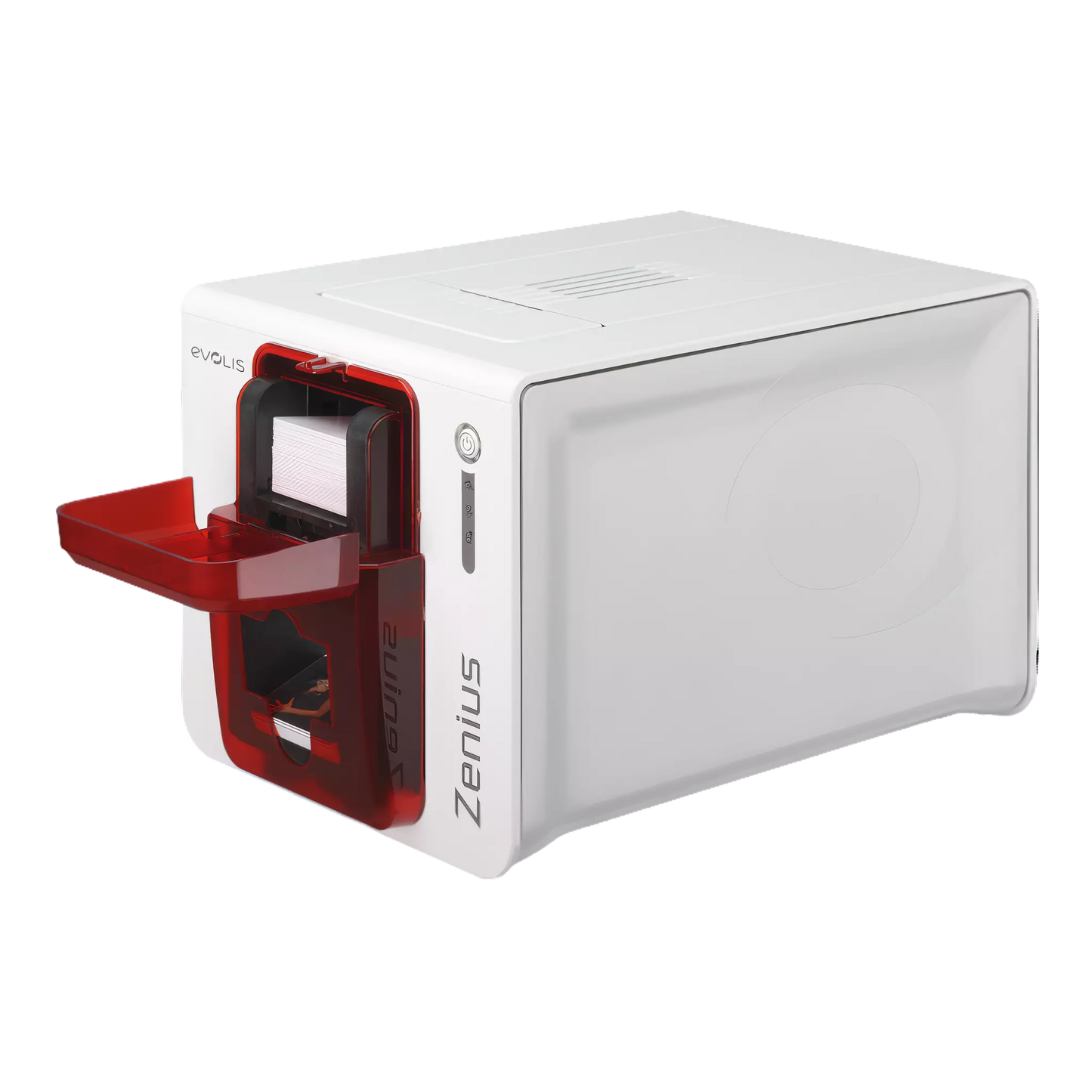
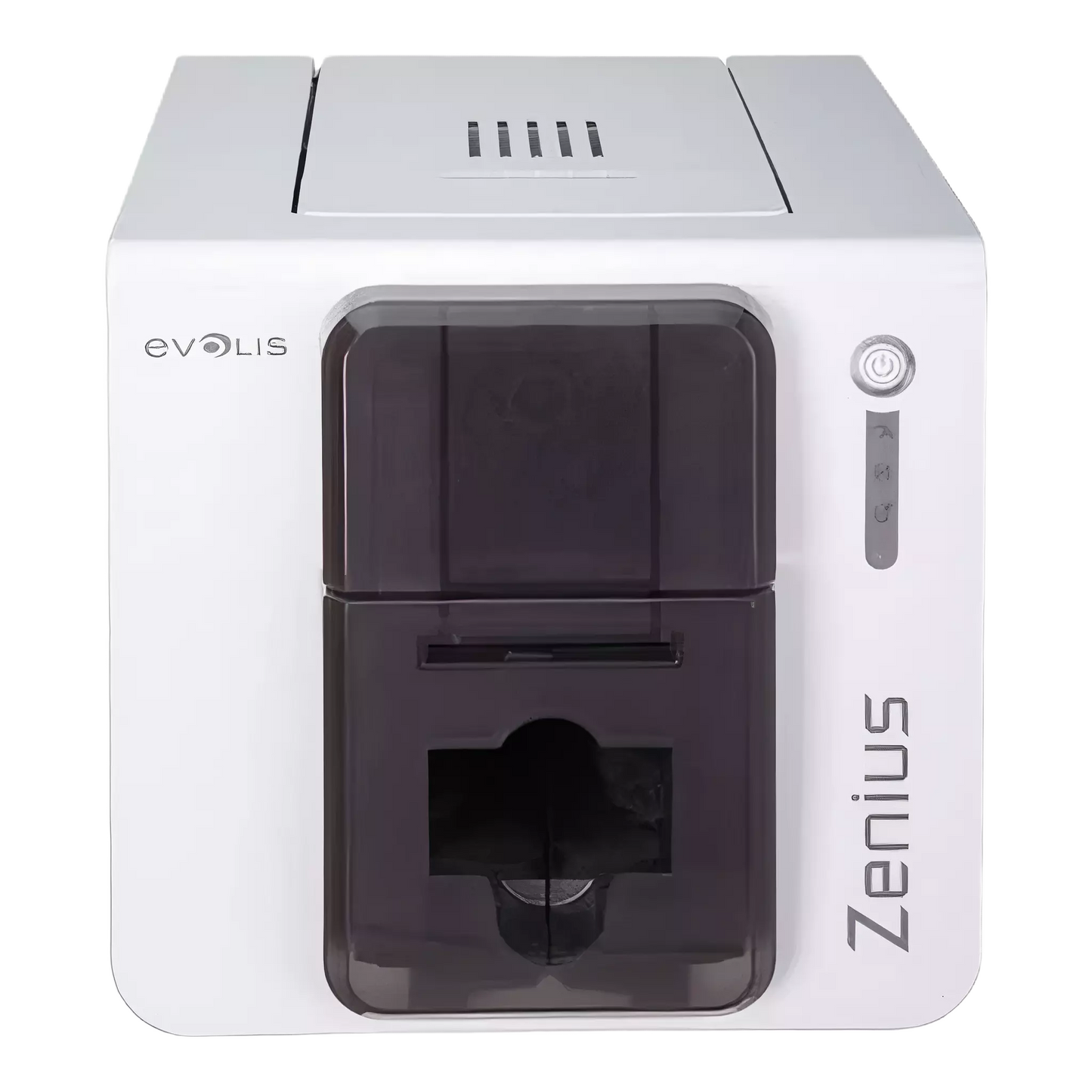
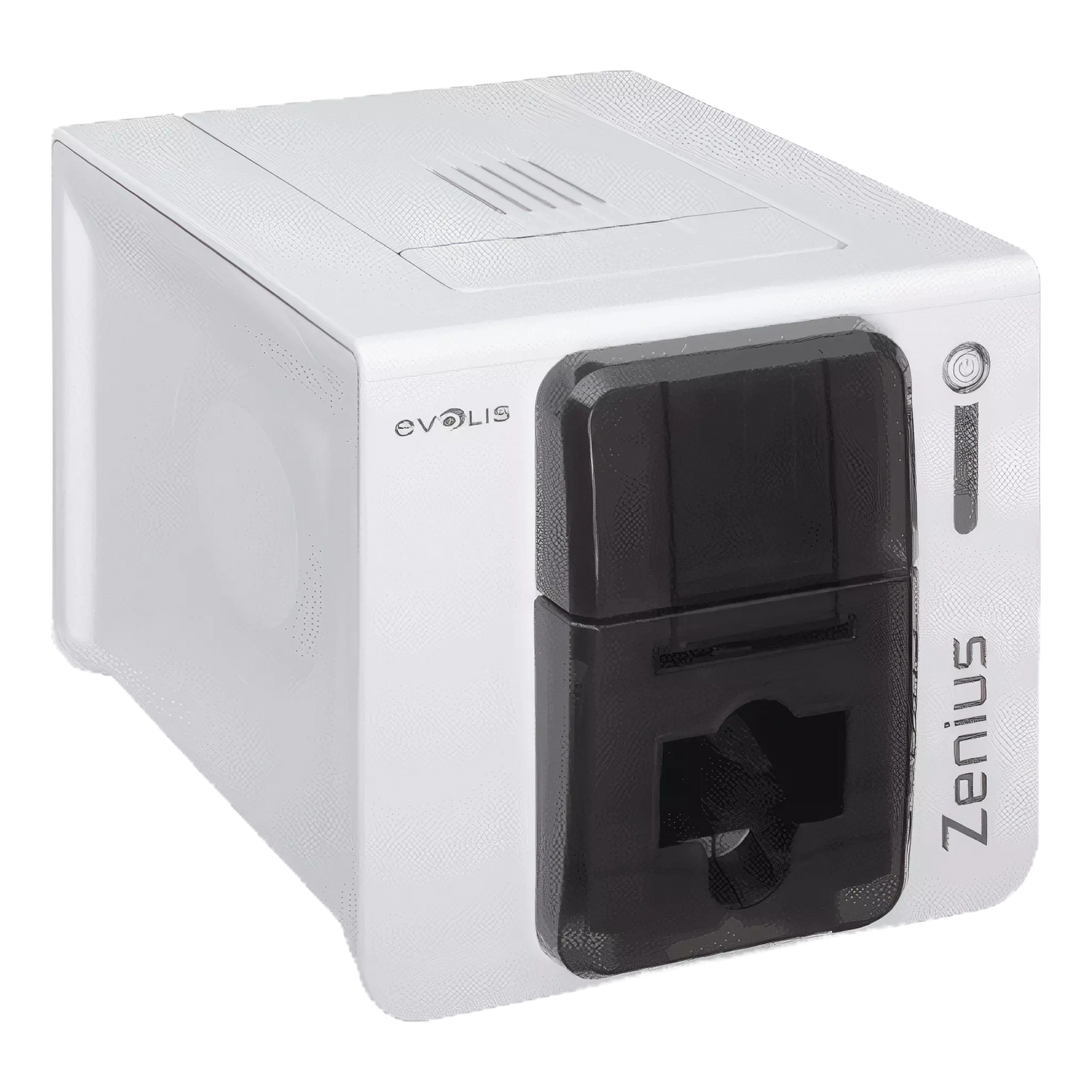
Evolis Zenius Classic Single Sided ID Card Printer
Evolis Zenius Classic Single Sided ID Card Printer
IN STOCK
$0.00 each
Volume Pricing Availale
Save up to 0%
Current Discount: 0%
Next: -
| Quantity | Discount |
|---|
Product Specifications
Product Specifications
-
Part number: ZN1U0000RS
- Professional 300 DPI Quality — Edge-to-edge full-color or monochrome printing on CR-80 cards. Perfect for photo IDs, membership cards, and badges.
- Fast Single-Sided Printing — Up to 150 color cards/hour (or 500 monochrome). 50-card input hopper plus manual single-card slot.
- Ultra-Compact & Quiet — Just 7.3 lbs and 46 dB. Fits any desk, reception area, or counter without disrupting the workspace.
- True Plug-and-Play — USB connectivity, automatic ribbon recognition, and included cardPresso XXS Lite software. Printing in minutes, not hours.
Total Price:
$0.00
Description
🖨️ ENTRY-LEVEL SINGLE-SIDED ID CARD PRINTER
Evolis Zenius Classic ID Card Printer
Professional ID cards without the professional learning curve. The Zenius Classic is Evolis's compact, single-sided printer designed for organizations that need quality cards in small batches—employee badges, membership cards, student IDs, and more. At just 7.3 pounds and quieter than a conversation, it fits anywhere and won't disrupt your workspace. The lightest printer in its class.
Manufacturer SKU: ZN1U0000RS (Fire Red) / ZN1U0000TS (Grey Brown) — Print up to 150 full-color cards per hour (or 500 monochrome) with 300 dpi edge-to-edge quality. The ribbon just drops in and the printer auto-configures everything. Includes cardPresso XXS Lite design software and a 50-card input hopper—plug it in, design your card, and start printing. That's it.
Why You'll Love This Printer
- True plug-and-play — USB connection, automatic ribbon recognition, and included design software. No complicated setup or IT department required.
- Whisper quiet — At just 46 dB, it's quieter than a normal conversation. Perfect for reception desks, offices, and customer-facing areas.
- Compact footprint — Barely larger than a sheet of paper (12.4" x 8" x 7.7"). Fits on any desk, counter, or welcome station without taking over the space.
- Featherweight champion — At 7.3 lbs, it's the lightest printer in its class. Easy to move between locations or store when not in use.
- 50-card input hopper — Load your cards and walk away. Manual single-card slot also available for quick one-offs.
- Works with Mac, Windows, and Linux — Not locked into one ecosystem. Drivers for Windows 7-11, Mac OS 10.11+, and Linux available.
- 2-year warranty — Printer and printhead covered. Just use genuine Evolis High Trust® ribbons to maintain coverage.
Compatible Ribbons & Cards
- R5F002AAA YMCKO Ribbon — Full-color printing with overlay, 200 cards per roll. The go-to ribbon for photo ID badges.
- R5H004NAA ½ YMCKO Ribbon — Half-panel color with overlay, 400 cards per roll. Great when you only need color on part of the card.
- RCT023NAA Black Monochrome — 2,000 cards per roll. Perfect for text-only cards or personalizing pre-printed stock.
- Specialty monochrome ribbons — Blue, red, green, white, metallic gold, metallic silver, and scratch-off options available.
- Card types supported — PVC, composite PVC, PET, rPET, and ABS cards (under specific conditions). Standard CR-80 size.
- Card thickness range — 10 mil to 30 mil (0.25mm to 0.76mm). Adjustable via built-in gauge.
- One important note — Ribbons and cards are sold separately. The printer does not include consumables in the box.
Getting Started Is Simple
1. Unbox & Connect
Plug in power and USB. Install driver from CD or download from Evolis.
2. Load the Ribbon
Drop cassette in top. RFID chip auto-detects ribbon type and configures settings.
3. Load Your Cards
Stack up to 50 cards in front feeder. Or use manual slot for single cards.
4. Design Your Card
Use included cardPresso XXS Lite to add photos, text, barcodes, and logos.
5. Hit Print
Cards feed automatically and print edge-to-edge. Output to front tray.
6. Clean Regularly
Run cleaning card every ribbon change or 1,000 cards. Takes 30 seconds.
Specifications
| Part Number: | ZN1U0000RS (Fire Red) / ZN1U0000TS (Grey Brown) |
| Printer Model: | Evolis Zenius Classic |
| Available Colors: | Fire Red, Grey Brown |
| Print Method: | Direct-to-card dye sublimation / resin thermal transfer |
| Print Mode: | Single-sided, edge-to-edge |
| Resolution: | 300 dpi (11.8 dots/mm) |
| Color Speed: | 120–150 cards/hour (~24 sec/card) |
| Mono Speed: | 400–500 cards/hour (~7 sec/card) |
| Input Hopper: | 50 cards (at 30 mil) |
| Output Tray: | 20 cards |
| Card Size: | CR-80 (3.375" x 2.125") |
| Card Thickness: | 10–30 mil (0.25–0.76mm) |
| Connectivity: | USB (1.0 / 2.0 / 3.0) only |
| Memory: | 16 MB RAM |
| Dimensions: | 12.4" x 8.1" x 7.7" |
| Weight: | 7.3 lbs (3.3 kg) |
| Sound Level: | 46 dB(A) |
| Power: | 100–240V AC, 50–60Hz |
| Operating Temp: | 59°F–86°F (15°C–30°C) |
| Warranty: | 2 years (printer and printhead) |
Perfect For These Applications
- Employee ID Badges — Photo IDs for staff, contractors, and temporary workers. Print on-demand as you hire.
- Student & Faculty IDs — Schools, colleges, and universities. Issue cards during registration or orientation.
- Membership Cards — Gyms, clubs, libraries, and associations. Professional-looking cards build member loyalty.
- Loyalty & Reward Cards — Retail stores and restaurants. Custom branded cards for your rewards program.
- Access Control Badges — Print on proximity and smart card stock (encoding requires Expert model).
- Visitor Badges — Temporary passes for guests, vendors, and contractors. Print and issue on the spot.
- Event Credentials — Conferences, trade shows, and festivals. Fast issuance at check-in.
- Gift Cards — Custom branded gift cards for retail. Personalize with recipient names or values.
What's in the Box
- Zenius Classic Printer (Fire Red)
- USB Cable
- Power Supply & Cord
- Cleaning Kit
- Driver CD & User Manual
- cardPresso XXS Lite License
- Ribbons & cards NOT included
Common Questions
What's the difference between Zenius Classic and Zenius Expert?
The Classic (ZN1U0000RS) has USB-only connectivity and no encoding options. The Expert (ZN1H0000RS) adds Ethernet connectivity for network sharing and can be upgraded with magnetic stripe, contact smart card, and contactless RFID encoding modules. Important: The Classic cannot be upgraded to add encoding later—if you think you might need encoding in the future, start with the Expert.
Does this printer come with ribbons and cards?
No. The Zenius Classic includes the printer, USB cable, power supply, cleaning kit, and cardPresso XXS Lite software—but ribbons and blank cards are sold separately. We recommend starting with the R5F002AAA YMCKO ribbon (200 full-color prints) and a box of CR-80 PVC cards.
Can I print on both sides of a card?
No. The Zenius is a single-sided printer only—it cannot be upgraded for dual-sided printing. For dual-sided capability, you'd need to look at the Evolis Primacy or Primacy 2 series. That said, many organizations print single-sided and simply flip the card to write or attach additional info if needed.
What operating systems does it support?
Windows 7, 8, 8.1, 10, and 11 (32-bit and 64-bit). Windows Server 2008 R2 through 2022. Mac OS 10.11 and later. Linux drivers are available upon request (RPM and DEB packages). The included cardPresso software is Windows-only, but you can use other card design software on Mac/Linux.
How often do I need to clean the printer?
Evolis recommends cleaning after every ribbon change or every 1,000 cards—whichever comes first. Use the ACL001 Regular Cleaning Kit (5 adhesive cards + 5 alcohol swabs). The adhesive cards clean the rollers, and the swabs clean the printhead. Regular cleaning extends printhead life and maintains print quality.
What types of cards can I use?
Standard CR-80 cards (credit card size): PVC, composite PVC, PET, rPET, and ABS (under specific conditions). Card thickness from 10 mil to 30 mil. You can also print on pre-printed cards, proximity cards, and smart cards—though the Classic model cannot encode them, only print on them.
How long does the ribbon last?
It depends on the ribbon type. The R5F002AAA YMCKO color ribbon prints 200 full-color cards. The RCT023NAA black monochrome ribbon prints 2,000 cards (with ribbon saver enabled). Monochrome ribbons are much more economical if you don't need color.
What's the warranty coverage?
The Zenius Classic comes with a 2-year manufacturer warranty covering the printer and printhead. Warranty is contingent on using genuine Evolis High Trust® ribbons and following proper maintenance procedures. Extended warranty options are available.
Can I connect it to a network?
The Classic model (ZN1U0000RS) is USB-only—it connects directly to one computer. If you need network/Ethernet connectivity to share the printer across multiple workstations, you'll need the Zenius Expert (ZN1H0000RS) which includes a built-in Ethernet port.
Is this printer good for high-volume printing?
The Zenius is designed for low-to-medium volume: roughly 500 to 5,000 cards per year. If you're printing more than that, or need faster speeds and dual-sided capability, consider the Evolis Primacy 2 series. The Zenius excels at on-demand, small-batch printing where simplicity and compact size matter most.
Questions about ID card printers or Evolis supplies?
Our ID card specialists can help you choose the right printer for your volume, recommend compatible ribbons and cards, and get you printing fast.
Call 1-800-380-6726 or Contact us for expert assistance.