

Fill out my online form.
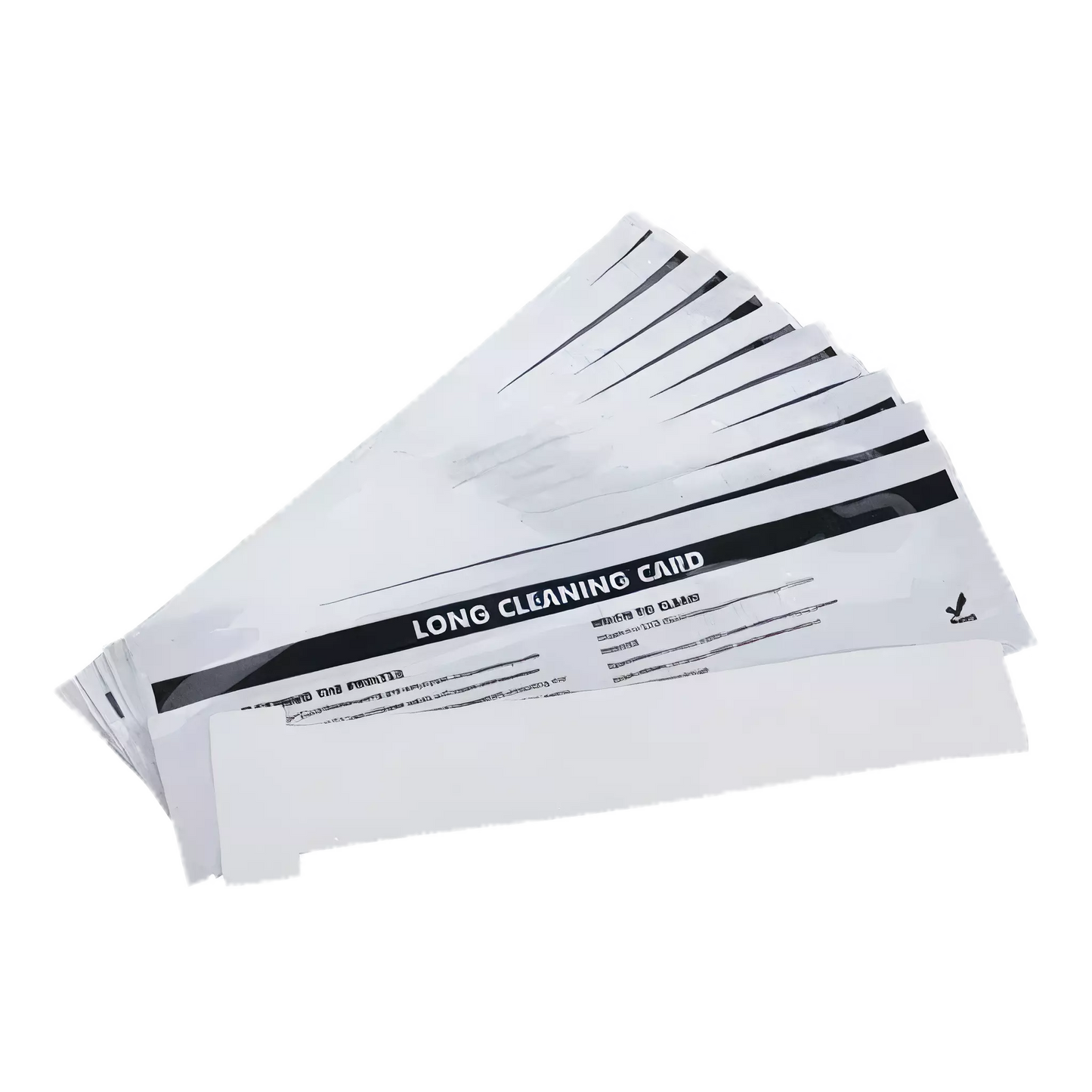
Evolis ACL004 T-Card Cleaning Kit for Badgy, Zenius, Primacy Printers, 10 Cards
Evolis ACL004 T-Card Cleaning Kit for Badgy, Zenius, Primacy Printers, 10 Cards
IN STOCK
$0.00 each
Volume Pricing Availale
Save up to 0%
Current Discount: 0%
Next: -
| Quantity | Discount |
|---|
Product Specifications
Product Specifications
-
Part number: ACL004
- Deep Clean Your Transport Rollers: The T-shaped design reaches further into your printer's card path than regular adhesive cards, removing built-up dust, oils, and debris that degrade print quality.
- Protect Your Printhead Warranty: Evolis requires advanced cleaning every 5000 prints to maintain warranty coverage. These T-cards are what you need for the advanced cleaning cycle.
- Pre-Saturated and Ready to Use: Each card comes soaked in isopropyl alcohol and individually sealed in foil. Open the pouch and run the card through your printer.
- 10 Cards Per Kit: With advanced cleaning required every 5000 prints, this kit covers 50,000 prints of maintenance for your Badgy, Zenius, Primacy, or Primacy 2 printer.
Total Price:
$0.00
Description
🧹 PRINTER CLEANING SUPPLIES
Evolis ACL004 T-Card Cleaning Kit
Deep clean your Evolis printer's transport rollers and protect your printhead warranty. These T-shaped cleaning cards reach deeper into the print path than regular adhesive cards, removing dust, oils, and debris that accumulate over time. Each card is pre-saturated with isopropyl alcohol and individually sealed for freshness.
Manufacturer SKU: ACL004 — This 10-pack of T-shaped cleaning cards is designed for advanced cleaning of Evolis Badgy, Zenius, Primacy, and Primacy 2 printers. Run a T-card through your printer every 5000 prints (or every 5 regular cleaning cycles) to deep clean the transport rollers and maintain your printhead warranty. The unique T-shape allows the card to clean areas that standard cleaning cards cannot reach.
Why You Need T-Card Cleaning
- Deeper cleaning than adhesive cards — The T-shaped design reaches further into your printer's card path, cleaning transport rollers that regular adhesive cards miss. This removes built-up contamination that degrades print quality.
- Protects your printhead warranty — Evolis requires advanced cleaning every 5000 prints to maintain printhead warranty coverage. Skip the cleaning schedule and you void the warranty. These T-cards are the tool you need for advanced cleaning cycles.
- Pre-saturated for convenience — Each card comes soaked in isopropyl alcohol and individually sealed in foil. No mixing, no measuring. Just open the pouch and run the card through your printer.
- Extends printer life — Dust, oils, and debris cause premature wear on printheads and rollers. Regular deep cleaning prevents expensive repairs and keeps your printer producing quality cards for years.
- 10 cards per kit — With advanced cleaning required every 5000 prints, this kit covers 50,000 prints of maintenance. For most offices, that's a full year of printing or more.
- Genuine Evolis supplies — Using authentic Evolis cleaning supplies protects your printer warranty and ensures optimal results. Pair with the ACL001 Regular Cleaning Kit for complete maintenance coverage.
Compatible Printers
- Evolis Badgy100 — Entry-level card printer for low-volume badge production.
- Evolis Badgy200 — Compact printer for small businesses and occasional use.
- Evolis Zenius — Single-sided professional card printer for medium volumes.
- Evolis Primacy — High-performance dual-sided printer for demanding environments.
- Evolis Primacy 2 — Latest generation Primacy with enhanced features and security.
- NOT for Avansia or Agilia — Retransfer printers use different cleaning supplies. Contact us for Avansia/Agilia cleaning recommendations.
How to Use T-Card Cleaning
1. Open Evolis Print Center
Right-click your printer and select Properties, then navigate to the Cleaning tab.
2. Remove Ribbon and Cards
Take out the ribbon cassette and any cards from the input hopper.
3. Set Thickness to MAX
Adjust the card thickness gauge all the way to the right (maximum setting).
4. Start Advanced Cleaning
Click "Proceed with Cleaning" and select "Start Cleaning" under advanced cleaning.
5. Insert T-Card
Open the foil pouch and insert the T-card into the feeder when prompted. Push until fully seated.
6. Complete and Reset
The T-card ejects when done. Replace ribbon and cards, reset thickness gauge to your card setting.
Specifications
| Part Number: | ACL004 |
| Product Type: | T-Card Cleaning Kit |
| Quantity: | 10 T-shaped cleaning cards |
| Cleaning Agent: | Isopropyl alcohol (pre-saturated) |
| Packaging: | Individually sealed foil pouches |
| Cleaning Type: | Advanced/Deep cleaning |
| Cleaning Frequency: | Every 5000 prints |
| Cleans: | Transport rollers |
| Shelf Life: | Up to 1 year (unopened) |
| Storage: | 50-86°F (10-30°C), 30-80% humidity |
Cleaning Schedule
- Regular cleaning (every 1000 prints) — Use ACL001 Regular Cleaning Kit with adhesive cards and printhead swabs.
- Advanced cleaning (every 5000 prints) — Use ACL004 T-cards for deep roller cleaning, then complete regular cleaning.
- Printhead cleaning — Use A5003 cleaning swabs to wipe the printhead during each cleaning cycle.
- Comprehensive kits — The ACL002 Advanced Cleaning Kit includes T-cards, adhesive cards, a cleaning pen, and wipes for complete maintenance.
- Warranty requirement — Evolis requires cleaning at specified intervals to maintain printhead warranty. Your printer tracks cleaning cycles automatically.
What's in the Box
- 10 T-shaped cleaning cards (individually sealed)
Frequently Asked Questions
What's the difference between T-cards and regular adhesive cleaning cards?
Regular adhesive cleaning cards (like those in ACL001) clean the card path and cleaning roller by picking up dust and debris with their sticky surface. T-cards are soaked in isopropyl alcohol and have a unique shape that reaches deeper into the transport roller mechanism. Use adhesive cards every 1000 prints for regular cleaning, and T-cards every 5000 prints for advanced deep cleaning.
How often should I use T-card cleaning?
Run a T-card through your printer every 5000 prints, which is typically every 5 regular cleaning cycles. Your Evolis printer tracks this automatically and will prompt you when advanced cleaning is due. The printer driver's cleaning tab shows your cleaning history and next scheduled maintenance.
Will skipping cleaning void my warranty?
Yes. Evolis requires cleaning at specified intervals to maintain printhead warranty coverage. If you print more than 1200 cards without regular cleaning, your printhead warranty becomes void. Advanced cleaning is required every 5000 prints. The printer gives a final warning before you exceed the limit.
Can I use these T-cards for regular cleaning instead of adhesive cards?
No. T-cards and adhesive cards serve different purposes. The adhesive cards physically lift dust and debris from the card path, while T-cards use alcohol to dissolve oils and clean the transport rollers. You need both for proper maintenance. Use adhesive cards (ACL001) every 1000 prints, and T-cards (ACL004) every 5000 prints.
Do I need to clean the printhead separately?
Yes. After running a T-card or adhesive card, you should also clean the printhead with an alcohol-soaked swab (like the Evolis A5003). Gently wipe across the printhead 5-10 times. This removes any residue that could cause print quality issues or damage the printhead over time.
How long do unopened T-cards last?
When stored properly (50-86°F, 30-80% humidity, away from direct sunlight), unopened T-cards have a shelf life of up to one year. After opening the foil pouch, use the card immediately as the alcohol will begin to evaporate. Discard any cards that appear dry or have been opened but not used.
Will this work with my Avansia or Agilia printer?
No. The ACL004 T-cards are designed for direct-to-card printers (Badgy, Zenius, Primacy, Primacy 2). Retransfer printers like Avansia and Agilia have different cleaning requirements. Contact us and we'll recommend the correct cleaning supplies for your retransfer printer.
What's included in the ACL002 Advanced Cleaning Kit?
The ACL002 Advanced Cleaning Kit is a comprehensive kit that includes 2 T-cards, 2 adhesive cleaning cards, 1 printhead cleaning pen, and 60 pre-saturated wipes. It has everything you need for both regular and advanced cleaning cycles. If you want a single kit for all your cleaning needs, ACL002 is the way to go.
How do I know when my printer needs cleaning?
Your Evolis printer tracks print counts and displays a cleaning indicator on the LED panel when maintenance is due. You can also check the cleaning schedule in the Evolis Print Center software under Properties > Cleaning. The software shows prints since last cleaning, next cleaning due, and your warranty status.
Is Specialist ID an authorized Evolis dealer?
Yes. Specialist ID is an authorized Evolis dealer in the United States, providing genuine Evolis cleaning supplies with full manufacturer support. All cleaning kits are properly stored and guaranteed fresh for optimal results.
Questions about Evolis printer maintenance?
Our ID card printer specialists can help you set up a cleaning schedule, select the right supplies for your printer model, and troubleshoot print quality issues.
Call 1-800-380-6726 or Contact us for expert assistance.