


Fill out my online form.
Magicard Pronto100 ID Card Printer
Magicard Pronto100 ID Card Printer
IN STOCK
$0.00 each
Volume Pricing Availale
Save up to 0%
Current Discount: 0%
Next: -
| Quantity | Discount |
|---|
Product Specifications
Product Specifications
-
Part number: 3100-0001
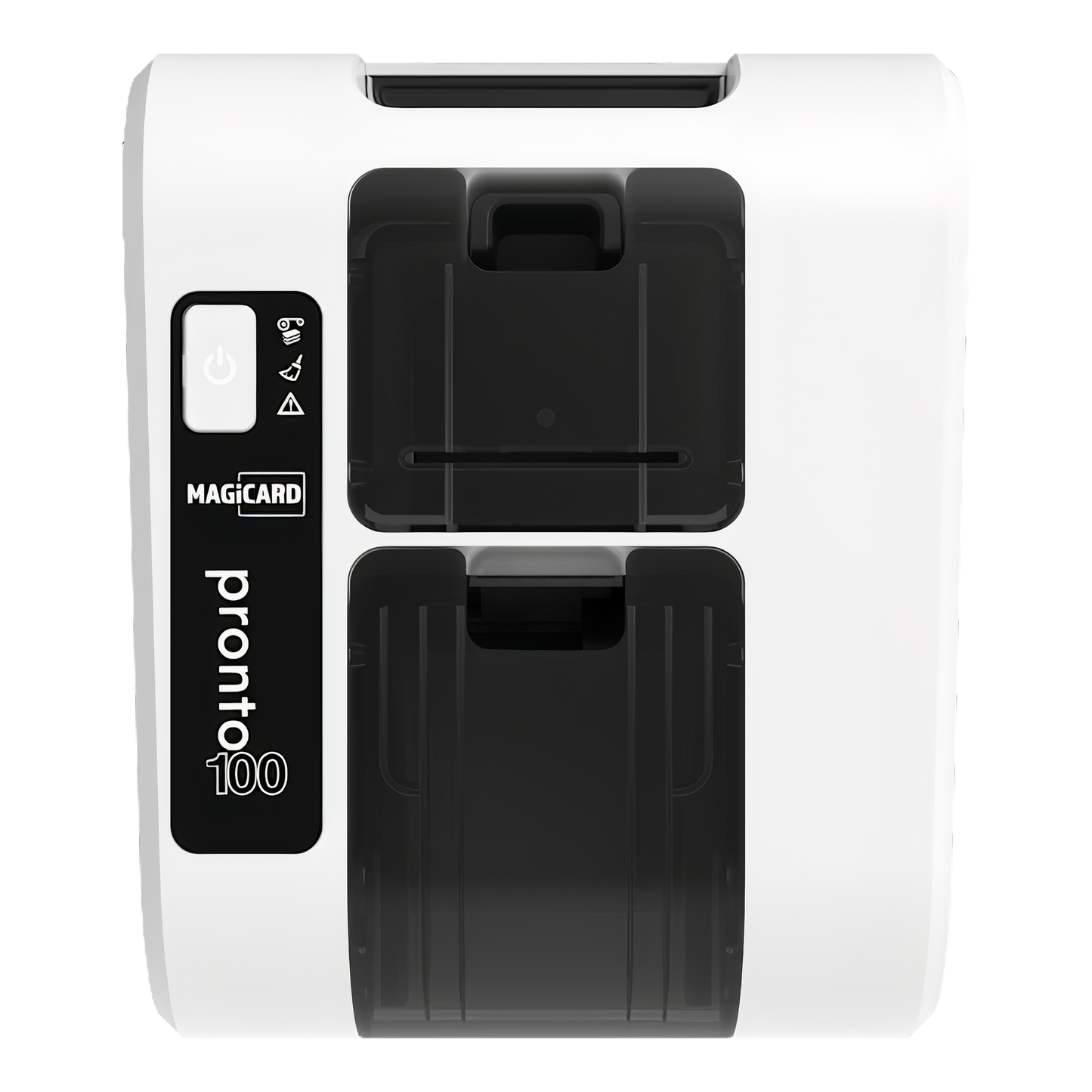
- Printer only: Purchase blank cards and a compatible ribbon separately to begin printing.
- High-quality, edge-to-edge output: Delivers photo-resolution prints (300 dpi) with vibrant, accurate color. Choose HD color for top-tier quality in ~23 seconds per card, or high-speed color for faster jobs at ~18 seconds. Monochrome prints in just ~4.7 seconds.
- Flexible speed modes: Prioritize visual quality or turnaround time—switch between high-definition or high-speed color, and get black-and-white cards done in under 5 seconds.
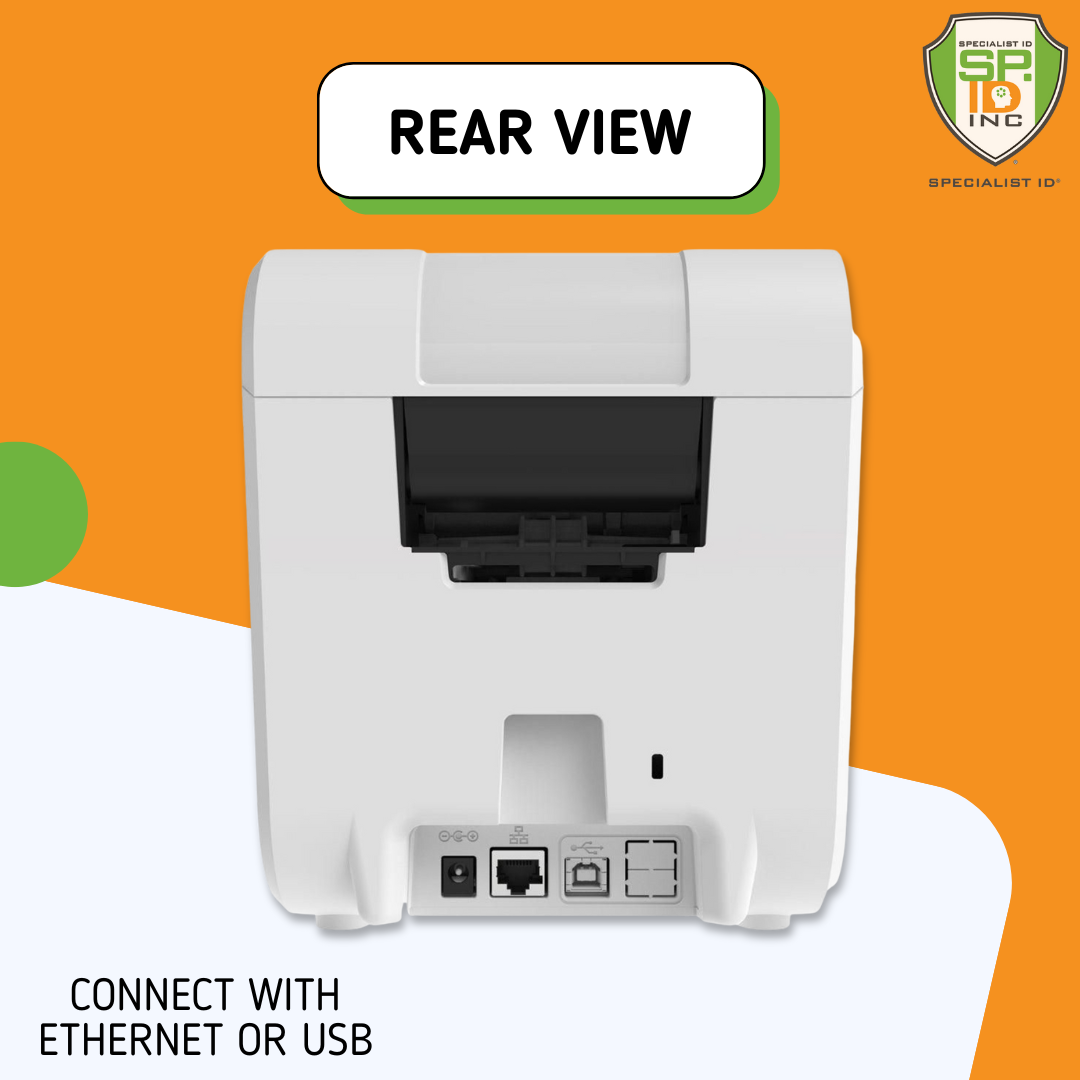
- Simple setup and connectivity: Plug in via USB or Ethernet, install the driver, and manage effortlessly through Magicard’s HUB or CLIX interface.
- Built-in security protections: HoloKote watermarking helps prevent unauthorized card duplication, while Digital Shredding removes print data after use to reduce risk exposure.
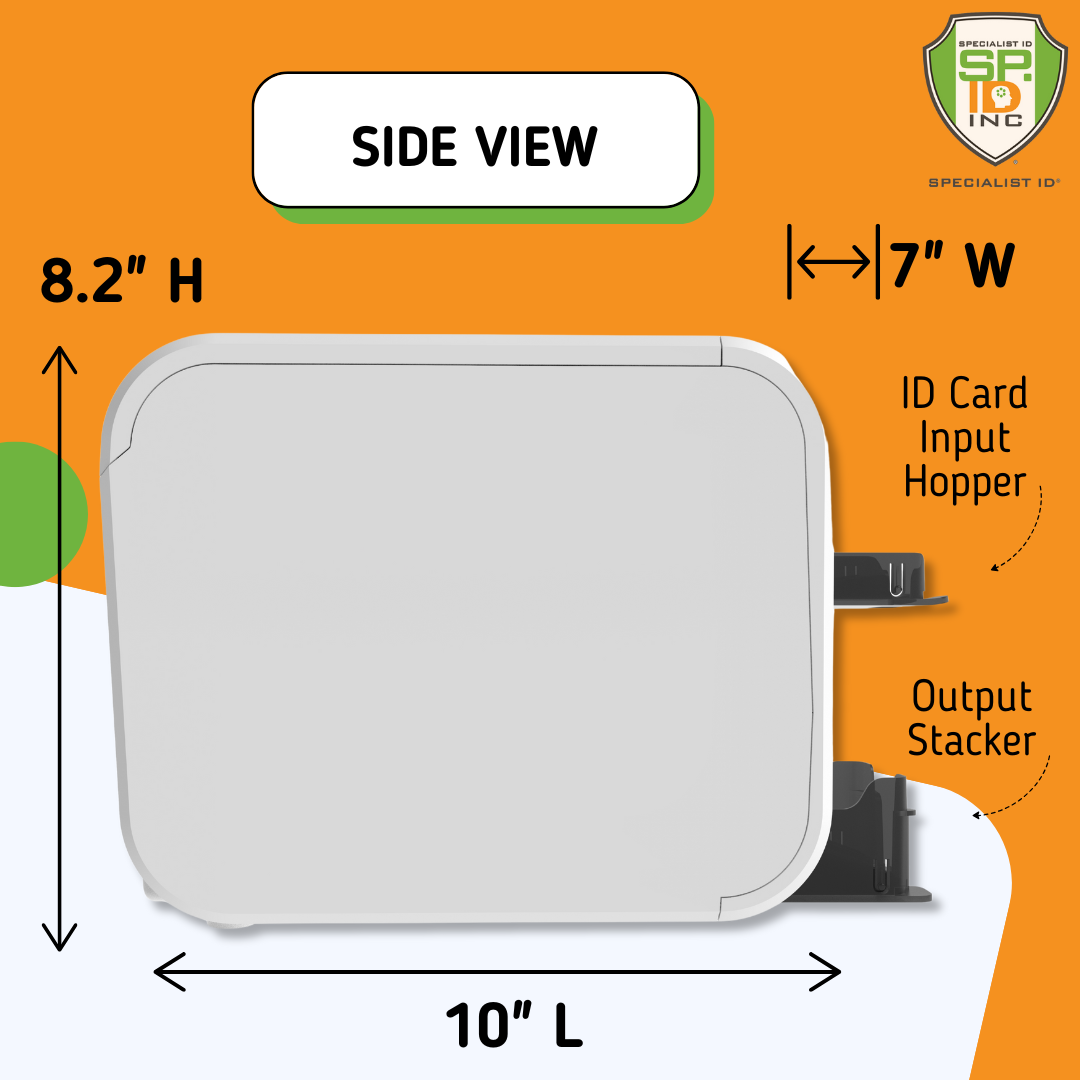
- Compact, low-noise footprint: At just 208 × 179 × 309 mm and 2.9 kg, it fits easily on shared desks and runs quietly—ideal for open office environments.
- Designed with sustainability in mind: Constructed using high levels of recycled and recyclable materials to support eco-conscious procurement goals.
- 3-year MagiCover warranty: Includes full coverage in supported regions. Printhead terms may vary depending on local plans—see warranty for full details.
Total Price:
$0.00



Description
⚠️ Printer Only — Ribbons & Cards Sold Separately
This item includes the printer unit only. To begin printing, you'll need to purchase ribbons and blank cards separately. See the "What You'll Need" tab for complete supply requirements.
Why This Works So Well
- HD photo quality printing — edge-to-edge finish with 300 dpi resolution makes every card look professional
- Really fast speeds — 18 seconds for color cards, 4.7 seconds for monochrome cards
- Plug-and-play setup — ready to print in minutes, even if you've never used an ID printer before
- Advanced security built-in — Digital Shredding and HoloKote watermarks protect against counterfeiting
- Compact desktop footprint — smaller than an A4 sheet, weighs only 6.4 lbs
What You Get
- Magicard Pronto100 printer only — USB and Ethernet connections included
- Magicard driver and basic utilities — essential printing functionality plus access to official Magicard software options
- Power cord and USB cable — everything needed for basic connection
- 3-year MagiCover warranty — covers printer and 50,000-card printhead guarantee
- Remote management capability — Clix system monitors status and orders supplies automatically
Perfect for small businesses, clubs, and schools that need professional ID cards without the complexity. Here's how it solves common card printing challenges.
How It Fits Different Environments
Small Businesses: Professional employee badges and visitor cards without needing IT expertise. The hassle-free setup means you can start printing immediately.
Clubs & Organizations: Membership cards with anti-counterfeiting features. The compact design and fast printing make it perfect for on-demand membership and visitor cards.
Schools: Student and staff ID cards with built-in security. The compact size fits in any office, and the quiet operation won't disrupt nearby activities.
Why the Security Features Matter
The Pronto100 includes enterprise-level security typically found in much more expensive printers. Digital Shredding protects sensitive data by fragmenting information after printing, helping with GDPR compliance.
HoloKote watermarks print automatically during the normal print cycle without extra cost or ribbons. This makes cards much harder to duplicate and gives instant visual verification of authenticity.
Volume recommendations:
- 🎯 Perfect range: 200-1,000 cards per year
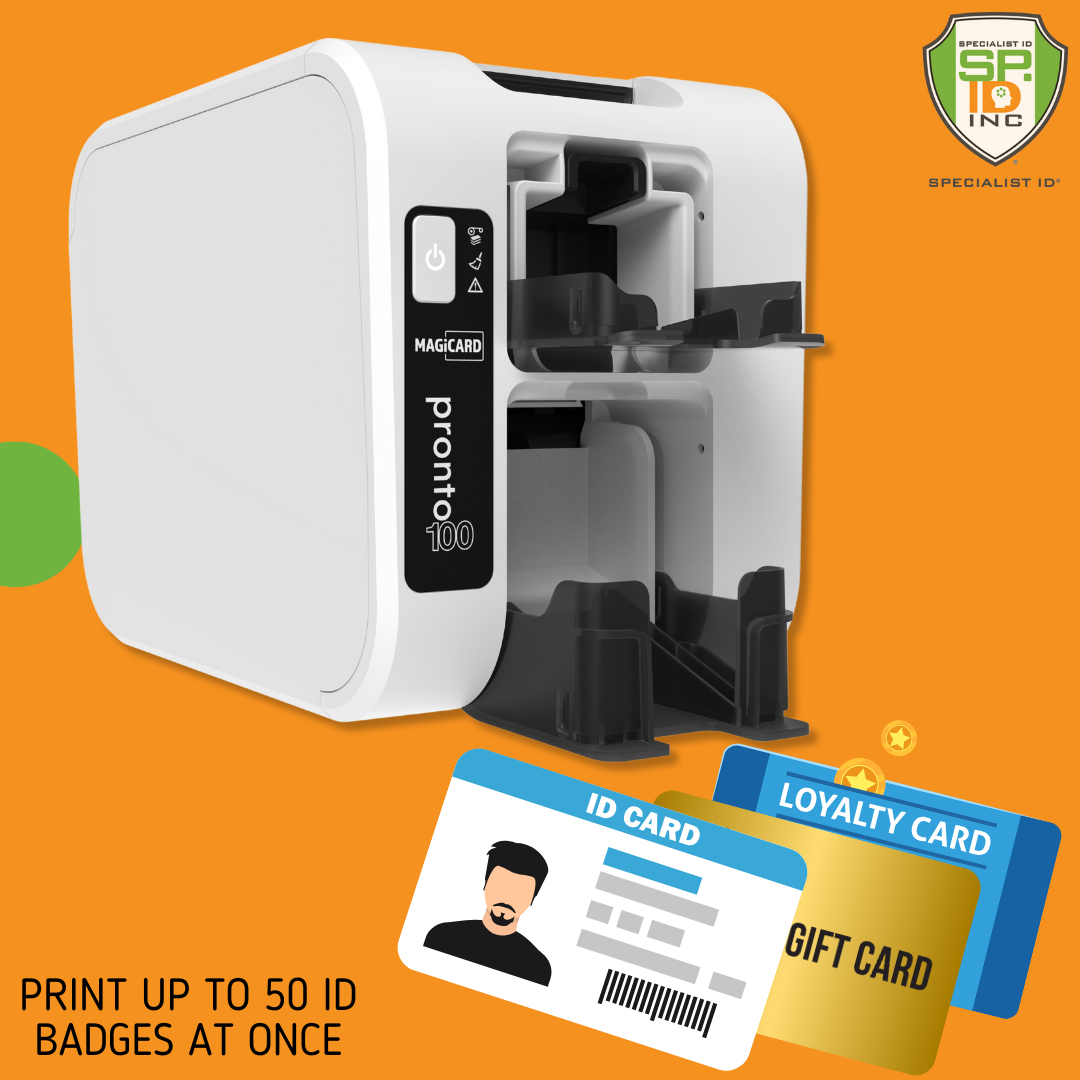
- 📋 50-card input/output hoppers handle typical batch sizes
- 🔄 Professional desktop design — Compact footprint fits any workspace
- 🌱 Eco-friendly design — 75% recycled materials
Technical Specifications
| Component | What You Get | What It Does |
|---|---|---|
| Magicard Pronto100 Printer | Single-sided ID card printer with HD print mode | Produces professional edge-to-edge cards with 300 dpi resolution |
| Print Speeds | 200 cards/hour color, 766 cards/hour monochrome, HD color: 23s | Fast enough for batch printing while maintaining quality |
| Physical Dimensions | Height: 208mm (8.2"), Width: 179mm (7"), Depth: 309mm (10") | Compact desktop footprint that fits easily in any workspace |
| Card Handling | Input hopper: 50 cards, Output hopper: 50 cards, Hand-feed capable | Flexible feeding options for different batch sizes and card types |
| Connectivity Options | USB 2.0 Type A, Ethernet Interface (100-Base TX/10-Base-Tc) | Direct computer connection or network printing with standard protocols |
| Print Resolution | 300 dpi for resin ribbons, HD photo quality mode | Sharp text and detailed photos that look professional |
| Supported Card Types | CR80 PVC cards, HoloPatch security cards | Handles standard cards plus specialty security options |
| Operating Systems | Current Windows and macOS; see Magicard support for latest versions | Compatible with current Windows and Mac operating systems |
| Security Features | Digital Shredding, HoloKote watermarks | Protects data and prevents counterfeiting automatically |
| Software Downloads | Free: Basic driver and HUB management software from Magicard website. Paid: TrustID V4 professional software | Essential software free to download from Magicard website, advanced features cost extra |
| Maintenance Requirements | Clean every 700 cards with included kit | Simple maintenance preserves print quality and extends life |
| Warranty Coverage | 3-year MagiCover limited warranty; printhead terms vary by region/plan (see Magicard warranty statement) | Comprehensive protection with terms that depend on location and coverage level |
| Printer Weight | 2.9kg (6.4 lbs) | Lightweight yet stable for reliable desktop operation |
| Remote Management | Clix remote monitoring and supply ordering (compatible) | Cloud-based printer management and automatic consumable reordering |
Choose the Right Magicard Printer for Your Needs
Here's how the Pronto100 compares to other Magicard options and when each one makes the most sense:
Small Volume Solutions — Up to 1,000 Cards/Year
Current Model
Pronto100 — Professional Quality
HD photo quality, advanced security features, and professional edge-to-edge printing. Perfect for businesses wanting impressive results without complexity.
👥 Small businesses, clubs, schools, professional offices
Pronto — Discontinued Model
Original entry-level printer that has been superseded by the Pronto100. Featured manual feed and basic functionality without the advanced features. No longer available in most channels.
🏢 Discontinued - replaced by Pronto100
Medium Volume — 1,000-5,000 Cards/Year
Magicard 300 — Dual-Sided
Prints both sides simultaneously with encoding options. Better for higher volumes and when you need information on both sides of cards.
🏛️ Larger organizations, government, healthcare facilities
Magicard 600 — High Volume
Maximum speed and capacity with advanced encoding options. Built for continuous operation and enterprise environments.
🏥 Large corporations, universities, high-security applications
Future-Proof Your Investment
The Pronto100 is designed to grow with your needs. Here are the most common upgrade paths and complementary accessories:
Most Common Additions
Popular
HoloPatch Security Cards
Pre-embedded holographic patches that work with the Pronto100's HoloKote watermarks for maximum visual security.
🔒 High-security applications, government, financial services
Magnetic Encoding Capability
The Pronto100 focuses on printing excellence without encoding. For magnetic stripe or smart card encoding, upgrade to the Magicard 300 or 600 series.
🔒 Access control, time tracking, advanced security systems
Software Enhancements
Magicard HUB Software
Official printer management and basic card creation software. Hassle-free design and printing with quick start capabilities for general users.
🎨 Basic card design, printer management, quick setup
TrustID V4 Professional
Advanced card issuance with security features, full database integration, and security encoding capabilities for high-security applications.
🔐 Enterprise security, database integration, advanced features
Clix Remote Management
Cloud-based monitoring, automatic supply reordering, and remote diagnostics for multiple printer management.
🌐 Multiple locations, proactive maintenance, supply optimization
When to Consider Upgrading
Growing Beyond 1,000 Cards/Year
When volume increases significantly, the Magicard 300 offers dual-sided printing and larger hoppers while maintaining the same quality and security features.
📈 Expanding organizations, multiple departments
Adding Encoding Requirements
If you need smart card or contactless encoding, the Magicard 300 and 600 offer these capabilities while the Pronto100 focuses on printing excellence.
🔐 Advanced access control, government compliance
Complete Supply Chain for Pronto100
Here's what you need to keep your Pronto100 running efficiently based on typical usage patterns:
Essential Supplies by Usage Level
Light Use (Under 200 cards/year)
💡 Order supplies every 6 months to maintain freshness
Medium Use (200-500 cards/year)
📈 Sweet spot for the Pronto100's capabilities
Heavy Use (500-1,000 cards/year)
🌱 Consider auto-reorder program for consistency
Specialty Cards and Applications
Security Applications
Cost-Saving Options
Maintenance Essentials
Common Questions About the Pronto100
Based on our experience supporting hundreds of Pronto100 installations, these are the questions we get most often:
Downloads & Resources
Official Magicard documentation, latest drivers, and professional software tools for your Pronto100.
What software options are available for the Pronto100?
The Pronto100 includes drivers and HUB for basic printer management. Optional paid TrustID V4 provides advanced issuance capabilities. Magicard also offers free Card Templates as design resources.
What comes included with the Pronto100 printer?
The Pronto100 includes the printer unit, power cord, USB cable, Magicard driver software, and user manual. Ribbons and blank cards are NOT included and must be purchased separately. You cannot print without ribbons and cards.
What are the official print speeds for the Magicard Pronto100?
The Magicard Pronto100 prints full-color cards at up to 200 cards per hour (18 seconds per card) and monochrome cards at up to 766 cards per hour (4.7 seconds per card). These speeds are based on using genuine Magicard ribbons and cards.
Is Specialist ID an authorized Magicard dealer?
Yes, Specialist ID is an authorized Magicard dealer. We provide genuine products, full manufacturer warranty coverage, and direct technical support for all Magicard printers including the Pronto100. Our authorization means you get legitimate products and proper warranty service.
How often should I clean my Pronto100 and what's the process?
Clean your Pronto100 every 700 cards or when you change the ribbon. Use the included cleaning kit with pre-saturated cleaning cards and isopropyl alcohol pen. Run the cleaning card through the printer like a normal card, then gently clean the printhead with the alcohol pen.
Does the Pronto100 work with third-party ribbons and cards?
Use approved Magicard consumables. Warranty coverage is conditional on approved supplies and proper maintenance. Third-party ribbons may cause print quality issues, ribbon errors, or void your warranty. Genuine ribbons include RFID chips that ensure proper operation.
What's the difference between the Pronto and Pronto100?
The Pronto100 offers HD photo quality printing, advanced security features like Digital Shredding and HoloKote, and remote management capabilities. The basic Pronto provides standard quality printing without these premium features.
Does the Pronto100 support magnetic stripe or smart card encoding?
No, the Pronto100 is a dedicated printing device without any encoding capabilities. It cannot write data to magnetic stripes or smart cards. For access control or data encoding needs, you would need the Magicard 300 or 600 series which offer these advanced features.
What should I do if my Pronto100 shows ribbon errors?
First, make sure you're using genuine Magicard ribbons with RFID chips. Check that the ribbon is seated properly and the cartridge clicked into place. If problems persist, try a different ribbon to isolate whether it's a ribbon or printer issue.
Talk to Our Magicard Specialists
Questions about setup, configuration, or which supplies you need? Our team has extensive Pronto100 experience and has helped with installations across many different environments.
Call our experts at 1-800-380-6726 or schedule a consultation