



Skip to product information
1 of 2

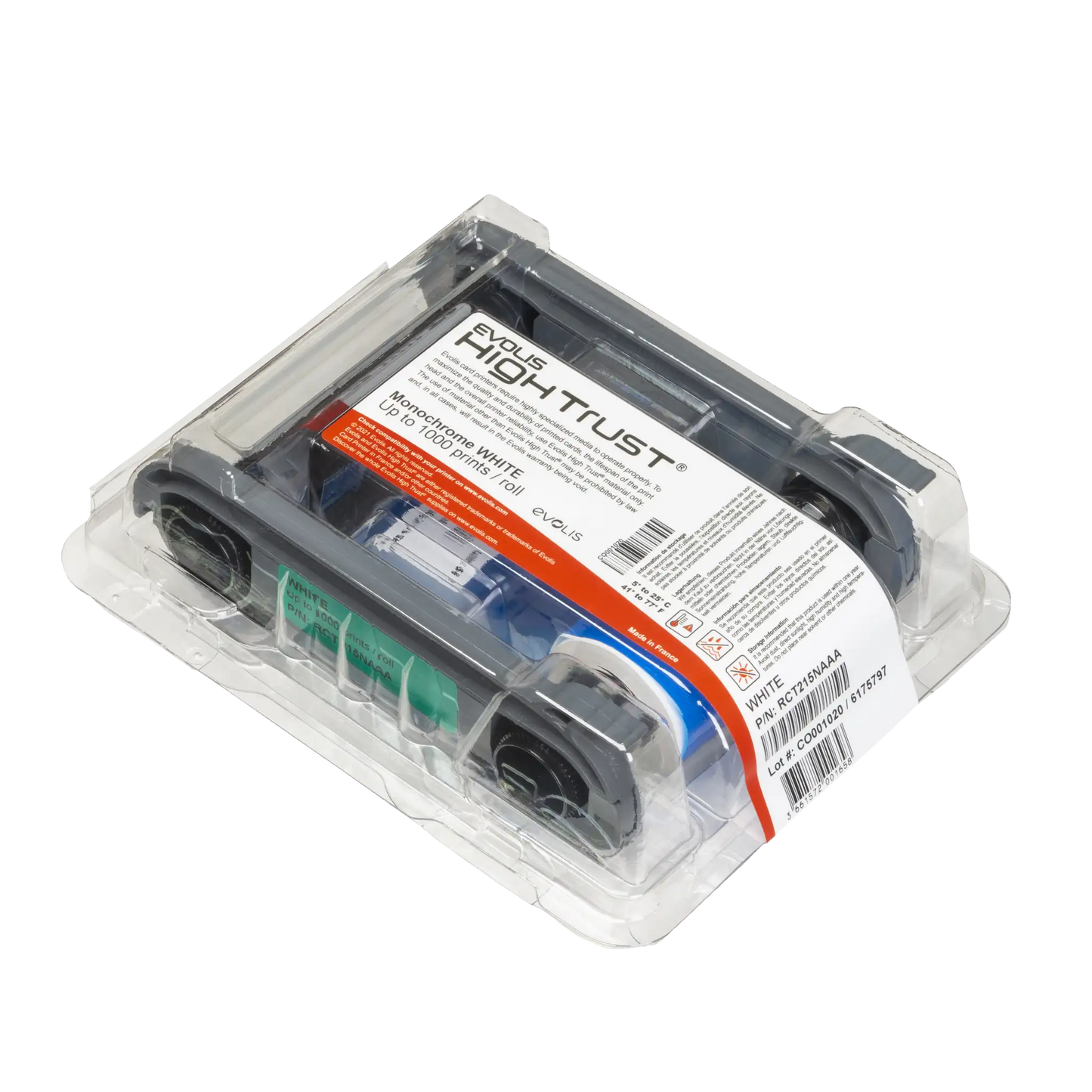
Evolis RCT215NAAA White Text & Barcode Printing – High-Contrast Output for Primacy 2

Evolis RCT215NAAA White Text & Barcode Printing – High-Contrast Output for Primacy 2

IN STOCK
 
$0.00 each
Volume Pricing Availale
Save up to 0%
Current Discount: 0% Next: -

Volume Pricing Available See Volume Pricing


Product Specifications

  • Part number: RCT215NAAA
  • Compatible with Evolis Primacy 2 printers only — Engineered for flawless performance and ribbon recognition in Primacy 2 systems, ensuring proper thermal calibration and print alignment.
  • High-Contrast White Ink on Dark Cards — Delivers sharp, readable results on black, red, and other pre-colored PVC cards where black ink would be invisible.
  • Optimized for Barcodes, Logos, and Text — Produces crisp edges and clear density for scannable barcodes and professional branding elements.
  • 1,000 Print Yield per Roll — Transparent, predictable output for budgeting and batch card production with fewer ribbon changes.
  • Thermal Transfer Durability — White ink bonds directly to card surfaces for fade-resistant, smudge-proof results that stand up to daily use.
  • Designed for Gift Cards, Hotel Keys, and Branded Credentials — Enables high-impact visuals and readable data on custom-colored cards without sacrificing professionalism.
Total Price: $0.00

Currently, we have 0 available. Please contact us to inquire about lead times. Sorry, this item is currently out of stock, please contact us to confirm lead times and availability. You can click here to discover additional alternative recommendations.

View full details

Description

HIGH TRUST TECHNOLOGY

Evolis RCT215NAAA White Monochrome Ribbon

Genuine Evolis white monochrome ribbon designed exclusively for Primacy 2 printers to create high-contrast text and graphics on dark-colored cards. This specialized ribbon provides crisp white printing with 1,000 prints per roll, perfect for personalizing pre-colored cards, creating visual coding systems, and printing professional text and barcodes on dark backgrounds.

Transform dark-colored cards into professional credentials with 1,000 sharp white prints per ribbon using genuine Evolis High Trust technology that automatically calibrates your Primacy 2 printer while delivering consistent white ink density and crystal-clear text definition that creates stunning contrast on black, blue, red, and other colored card stock for maximum visual impact.

Why This White Monochrome Ribbon Excels

  • Perfect high-contrast printing on dark-colored cards — White ink creates stunning visual contrast on black, red, blue, or other colored card stock where standard black printing would be invisible, enabling professional personalization of pre-colored cards
  • Designed exclusively for Primacy 2 printer optimization — Engineering specifically matches Primacy 2 thermal transfer specifications for perfect ink adhesion and consistent results, ensuring reliable performance that maintains printer warranty coverage
  • High Trust automatic calibration prevents printing errors — Evolis High Trust technology automatically detects ribbon type and configures optimal printer settings, eliminating user error and ensuring consistent white ink density throughout the entire ribbon roll
  • Cost-effective single-color solution reduces per-card expenses — Monochrome printing provides significant savings compared to full-color ribbons when you only need text, logos, or barcodes, making it ideal for high-volume applications with pre-colored cards
  • Superior text clarity and barcode readability — Sharp white printing creates precise edges and consistent density essential for reliable barcode scanning and professional text appearance in access control and identification applications
  • 1,000-print capacity maximizes operational efficiency — High-yield ribbon reduces frequent changes and minimizes downtime, improving workflow productivity while maintaining consistent print quality throughout the entire roll life
  • Thermal transfer durability ensures long-lasting results — Advanced thermal transfer process permanently bonds white ink to card surface, creating scratch-resistant, fade-resistant prints that maintain professional appearance with daily handling

Designed for Primacy 2 Excellence

  • Evolis Primacy 2 exclusive compatibility — Engineered specifically for the Primacy 2 printer model with precise thermal transfer specifications that ensure optimal white ink transfer and consistent results across all card types
  • Not compatible with original Primacy printers — This ribbon will not work in original Primacy models due to different cartridge systems and thermal specifications, so verify your printer model before ordering to ensure compatibility
  • High Trust recognition system integration — Primacy 2 automatically detects this ribbon and configures optimal printing parameters, preventing application errors and ensuring consistent white ink density for professional results
  • Direct-to-card printing optimization — Formulated specifically for Primacy 2 direct-to-card technology where thermal transfer occurs directly on the card surface, ensuring excellent white ink adhesion on various colored substrates
  • Professional cartridge system reliability — Designed to work seamlessly with Primacy 2 cartridge mechanism for easy installation and consistent ribbon tracking, preventing jams and ensuring uniform print quality
  • Thermal transfer precision engineering — Optimized for Primacy 2 thermal transfer process where heated printhead transfers white dye onto colored cards, creating permanent, professional-quality text and graphics
  • Quality assurance through genuine Evolis manufacturing — Authentic Evolis engineering ensures consistent ribbon performance and maintains printer warranty coverage while preventing damage from incompatible third-party alternatives

How White Monochrome Thermal Transfer Works

1. Colored Card Preparation Dark-colored PVC card enters Primacy 2 printer where white thermal transfer ribbon prepares to apply high-contrast printing over colored surface
2. Thermal Activation Process Primacy 2 printhead applies precise heat to white dye ribbon, causing white ink particles to melt and prepare for transfer to colored card substrate
3. White Ink Transfer Heated white dye transfers directly from ribbon to colored card through thermal transfer process, creating permanent bond between white ink and card surface
4. Contrast Formation White ink creates sharp, high-contrast text and graphics against dark background, ensuring excellent readability and professional appearance for identification purposes
5. Quality Verification Completed card displays crisp white printing with excellent contrast and definition, suitable for professional applications requiring clear text visibility on colored backgrounds

Specifications

Part Number: RCT215NAAA
Print Yield: 1,000 prints
Ribbon Type: White monochrome
Color: Opaque white
Technology: Evolis High Trust thermal transfer
Compatible Printer: Primacy 2 only
Application: Text, logos, barcodes on dark cards
Card Compatibility: Dark-colored PVC cards
Print Quality: High-contrast, professional results

Perfect Applications for White on Dark Printing

  • Corporate ID Badges on Colored Backgrounds — Professional employee identification cards using company-branded colored card stock with white text for names, titles, and department information that creates distinctive visual identity
  • Premium Membership Cards with Colored Branding — Exclusive membership credentials on black, gold, or colored card stock featuring white member information and account details that reinforce premium brand positioning
  • Event Credentials and VIP Passes — Special event badges on colored backgrounds with white printing for attendee names, access levels, and event information that provides instant visual recognition and professional appearance
  • Access Control Cards with Visual Coding — Security badges using different colored card stock with white text and barcodes for departmental identification, creating intuitive visual coding systems for security personnel
  • Educational Institution Cards — Student and faculty ID cards on school-colored backgrounds featuring white text for names, ID numbers, and institutional information that reinforces school branding and identity
  • Healthcare Professional Badges — Medical staff identification on colored backgrounds with white printing for names, departments, and certification information that ensures visibility in clinical environments while maintaining professional standards

Common Questions

What is a monochrome white ribbon and why would I use it?
A monochrome ribbon prints in a single color, which is a more cost-effective option than a full-color ribbon. A white monochrome ribbon is specifically used to print on cards with dark or colored backgrounds, as white ink would not be visible on a standard white card. This creates high-contrast, professional results on colored card stock.
Is Specialist ID an authorized Evolis dealer?
Yes. Specialist ID is an authorized dealer for Evolis ID printers and consumables in the United States, providing genuine ribbons with full manufacturer support and warranty protection.
How many cards can I print with one RCT215NAAA ribbon?
You can print up to 1,000 single-sided cards with one ribbon. This high yield makes it extremely cost-effective for applications requiring white text, logos, or barcodes on colored card backgrounds, significantly reducing your per-card printing costs.
What printers is this ribbon compatible with?
This ribbon is designed exclusively for the Evolis Primacy 2 ID card printer. It is not compatible with other Evolis models, including the original Primacy, due to different cartridge systems and thermal specifications.
Can I use this ribbon on standard white cards?
No, the white ink would not be visible on a standard blank white PVC card. This ribbon is intended for use with cards of a dark or contrasting color to ensure the print is clearly visible and creates the desired high-contrast effect.
Is white monochrome ribbon good for printing barcodes?
Yes, monochrome ribbons, including the white ribbon, are excellent for printing barcodes and QR codes because they provide the high contrast and sharp edges required for reliable scanning. The white on dark background creates optimal contrast for barcode readers.
How can I tell if my printer is an original Primacy or a Primacy 2?
You can check the model name on your printer itself. Ribbons for the Primacy 2 are not compatible with the original Primacy printer due to different cartridge systems. If you are unsure, contact an authorized Evolis reseller for assistance in identifying your printer model.
What card colors work best with white monochrome printing?
White monochrome printing works exceptionally well on dark colors like black, navy blue, dark red, dark green, and purple. The darker the background color, the better the contrast and readability of the white text and graphics will be.
Does this ribbon work with dual-sided printing?
Yes, if your Primacy 2 is equipped with dual-sided printing capability, you can use this ribbon to print white content on both sides of colored cards, or combine it with other ribbon types for different effects on each side of the card.
How durable is white monochrome printing on colored cards?
The thermal transfer process creates very durable prints that are scratch-resistant and fade-resistant. The white ink bonds permanently to the colored card surface, ensuring long-lasting professional appearance even with frequent handling in daily use applications.

Questions about white monochrome printing on colored cards?

Our Evolis experts can help you choose the right colored card stock, optimize your Primacy 2 setup, and provide technical support for your white monochrome printing applications.
Call 1-800-380-6726 or Contact us for specialized support.

×
Fill out my online form.

Reviews